Wondershare: Explore Powerful Software Tools for Creativity, Productivity, and Digital Work
 Veer
Veer


 Veer
Veer
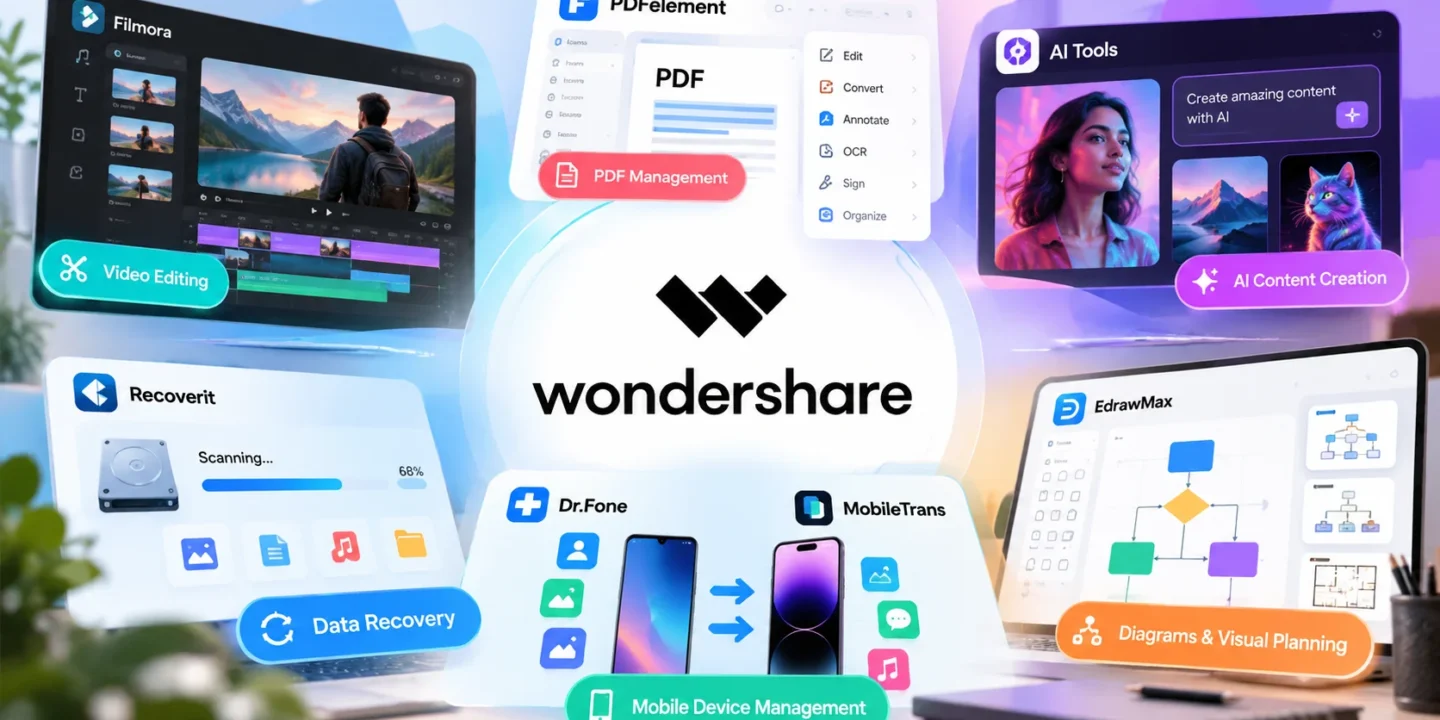
Technology has changed how people create content, manage documents, and complete everyday tasks. From editing videos for social media to organizing business files, digital tools help individuals work more efficiently. However, finding software that meets different needs without making tasks unnecessarily complicated can be challenging. Wondershare offers a range of software solutions designed to simplify these activities for individuals, students, content creators, and businesses.
Through its collection of creative, document management, data recovery, and AI-powered tools, Wondershare provides solutions for several common digital requirements. Whether someone wants to edit a video, modify a PDF, recover lost files, or create professional diagrams, the platform offers products suited to different workflows.
Wondershare is a software company that develops digital tools for content creation, document management, productivity, and data management. Its product portfolio includes applications for video editing, PDF editing, file recovery, mobile device management, diagram creation, and other everyday computing tasks.
The company’s approach focuses on making software accessible to users with different levels of technical experience. Beginners can explore tools for basic editing and file management, while experienced users can access additional features for more advanced projects.
Wondershare also offers AI-powered capabilities across selected products. These features can assist with creative tasks, simplify certain editing processes, and help users complete work with fewer manual steps.
Video content is widely used across social media, educational platforms, business websites, and personal projects. Wondershare Filmora is a video editing application designed to help users create and edit videos without requiring extensive technical knowledge.
Users can work with video clips, add transitions, adjust audio, insert text, and apply visual effects. These features make the software useful for creating YouTube videos, promotional content, tutorials, presentations, and personal recordings.
Selected AI-powered features can also assist with tasks such as editing, generating creative elements, and improving production workflows, depending on the version available.
For beginners, an accessible editing interface can make it easier to understand basic video production. More experienced creators can use the available editing options to develop content that suits their preferred style.
PDF files are common in education, business communication, administration, and professional services. However, editing a PDF can become inconvenient when users need to correct text, reorganize pages, or convert a document into another format.
Wondershare PDFelement provides tools for creating, editing, converting, annotating, and signing PDF documents. Users can make changes to existing files, combine documents, organize pages, and prepare files for sharing.
Its features can be useful for students managing study materials, professionals handling reports, and businesses working with digital paperwork.
Depending on the version and platform, users may also have access to optical character recognition (OCR), which helps convert scanned documents into searchable or editable text.
By bringing several PDF-related functions together, PDFelement can help reduce the need to switch between separate applications for routine document tasks.
Artificial intelligence is becoming part of many digital workflows, particularly in content production and creative work. Wondershare offers AI-powered solutions across areas such as video creation, image generation, audio production, and content development.
These tools can help users explore ideas, produce creative assets, and speed up selected stages of a project. For example, a content creator may use AI-assisted features to develop video concepts, while a small business may need visual assets for online campaigns.
Wondershare’s broader software collection also includes tools for creating and enhancing digital media. The available capabilities vary by product, so users should review individual product pages before choosing a solution.
AI features can make certain tasks easier, but the final output still benefits from human review. Checking accuracy, adjusting visual details, and ensuring that content matches the intended audience remain important parts of the creative process.
Losing important files can disrupt personal and professional work. Photos, videos, documents, and other digital files may become inaccessible because of accidental deletion, formatting, storage problems, or unexpected system issues.
Wondershare Recoverit is designed to help users recover lost or deleted data from supported storage devices and file systems.
The software can scan supported locations for recoverable files and help users identify items they want to restore. Its potential uses include retrieving accidentally deleted photos, recovering work documents, and attempting to restore missing media files.
However, recovery results depend on several factors, including the condition of the storage device, whether data has been overwritten, and the type of data loss involved. Recovery is not guaranteed in every situation.
Users should also avoid saving new files to the affected storage location when possible, as doing so may reduce the chances of successful recovery.
Smartphones contain important information, including contacts, messages, photos, videos, and application data. Managing this information can become difficult when switching devices, troubleshooting problems, or creating backups.
Wondershare Dr.Fone offers mobile device management solutions with features that vary by supported device and product version. Depending on the available tools, users may find options for backing up data, transferring information, and addressing certain device-related issues.
MobileTrans focuses on transferring data between supported mobile devices. It can be useful when moving information from an older phone to a new one, helping users manage the transition without manually transferring every item.
Before using either product, users should check device compatibility, supported data types, and any limitations associated with their operating system.
Visual communication helps people explain processes, organize information, and present complex ideas more clearly. Wondershare EdrawMax is a diagramming tool that supports the creation of flowcharts, organizational charts, mind maps, floor plans, and other visual materials.
Students can use diagrams to organize concepts, while businesses may create workflow charts, project illustrations, and organizational structures.
Templates can provide a starting point for users who do not want to build every visual element from scratch. Editing options then allow them to adapt the layout to their specific requirements.
For teams, visual diagrams can also help communicate processes and responsibilities during planning sessions or project discussions.

Wondershare’s product range serves different types of users.
Students and educators can use PDF tools, video editors, and diagramming software for assignments, presentations, and learning materials.
Content creators can explore video editing and AI-assisted creative tools to prepare content for social media, websites, and online channels.
Business professionals can use document management, diagramming, and media tools to support daily operations and communication.
Everyday users may find mobile data transfer, file recovery, and document editing tools useful for managing personal digital information.
The most suitable product depends on the task, available budget, operating system, and required features.
Start by identifying the problem you want to solve. If you need to edit videos, explore Filmora. For modifying PDF documents, compare the features available in PDFelement. If you have lost important files, review Recoverit’s supported recovery options. Users working with diagrams can investigate EdrawMax.
Next, check system requirements, supported file formats, device compatibility, and pricing. Some products offer free trials or limited free functionality, while advanced features may require a paid plan.
It is also worth reviewing subscription terms before purchasing, particularly if you intend to use the software for an extended period.
Wondershare offers a broad selection of software for video editing, document management, AI-assisted creativity, data recovery, mobile device management, and visual planning. Its products address practical needs across personal, educational, and professional settings.
The right tool depends on what you want to accomplish. By comparing features, checking compatibility, and understanding the available plans, you can identify a solution that fits your workflow.
To explore individual products and their current features, visit the official Wondershare website and review the relevant product pages before making a decision.

© 2026. All rights reserved by Saasutility.







No Comments