OpenArt AI: Explore AI Image Generation, Video Creation, and Digital Art Tools
 Veer
Veer
 Veer
Veer
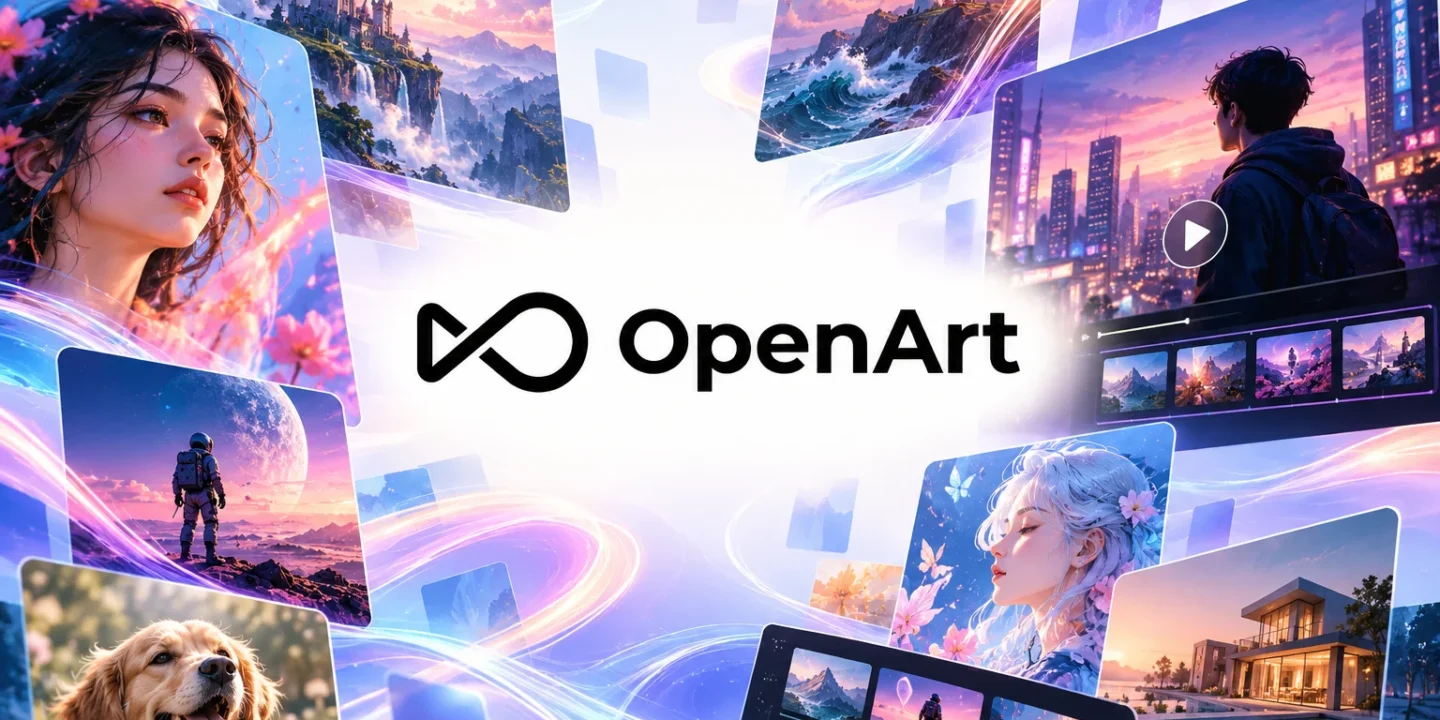
Artificial intelligence is changing how people create digital content. Tasks that once required advanced design skills, expensive software, and hours of editing can now begin with a simple text description. OpenArt AI is one platform that helps users explore these possibilities by turning creative ideas into images, videos, animations, and other digital assets.
Whether you are a digital artist, content creator, marketer, designer, or someone experimenting with AI for the first time, OpenArt offers tools to help bring creative concepts to life. Its features cover image generation, video production, photo editing, character creation, and graphic design, making it useful for a range of personal and professional projects. OpenArt
OpenArt AI is an online creative platform that uses artificial intelligence to help users generate and edit digital content. Instead of creating every element manually, users can describe what they want, provide a reference image, or upload existing content to guide the creative process.
For example, you could describe a futuristic city at sunset, a fantasy character standing in a forest, or a product displayed in a minimalist studio. An AI image generator can interpret your description and produce visual results based on the prompt.
The platform also includes tools for transforming images into videos, modifying photographs, developing consistent characters, and creating promotional graphics. These options make it possible to explore different creative formats within a single online environment.
You can explore its tools directly on the official website at OpenArt AI.
OpenArt offers several creative tools designed for different stages of digital content production. Here are some of its main capabilities.
Image generation is one of the central uses of OpenArt. Users can describe a scene, subject, artistic style, or visual concept and generate images based on their instructions.
You can experiment with realistic photography, digital illustrations, anime-inspired artwork, fantasy scenes, character portraits, and other visual styles. Adjusting your prompt helps you explore different compositions, lighting conditions, colours, and levels of detail.
This feature can be useful for creating blog illustrations, social media graphics, concept art, wallpapers, and visual references for larger creative projects. It also gives beginners a way to experiment with digital art without first mastering complex design software.
OpenArt extends beyond static images with tools for generating videos from text descriptions and existing pictures. Depending on the selected tool and model, users can create animated scenes, cinematic clips, promotional videos, and short-form social media content.
For example, a creator could begin with an image of a mountain landscape and use an image-to-video tool to introduce movement. A marketer might develop a short product concept or a creator could experiment with a visual sequence for a storytelling project.
The platform also offers video editing and transformation features, allowing users to explore changes to backgrounds, lighting, characters, and visual effects. OpenArt
Editing existing images is another practical application. OpenArt includes tools for changing backgrounds, removing unwanted objects, adjusting visual styles, and improving image quality.
These features can help when a photograph needs a different setting or an existing visual requires modifications before publication.
For instance, an online seller could experiment with different product backgrounds, while a content creator might adapt an image to suit a particular theme. AI-assisted editing can reduce the amount of manual work involved, although the results may still require review and refinement.
Creating characters that maintain a consistent appearance across multiple scenes can be challenging. OpenArt offers character-building tools designed to help users develop and reuse visual identities across images and videos.
This can be useful for digital storytelling, comics, animated content, virtual personas, and original fictional characters.
A creator might design a character with a particular hairstyle, outfit, and facial appearance, then use that character in different environments. Consistency can vary depending on the tool, reference material, and instructions, so reviewing each result remains important.
OpenArt also supports practical design tasks, including generating posters, logos, advertisements, social media graphics, and other promotional assets.
Small businesses and independent creators can use these tools to explore visual concepts before investing time in a final design. Content teams can experiment with alternative campaign styles, while designers can use AI-generated results as starting points for further editing.
However, generated designs should be checked carefully, particularly when they contain text, brand elements, product details, or information that must be accurate.
OpenArt can be useful for people working across several creative fields.
Content creators: Bloggers, YouTubers, and social media creators can experiment with custom illustrations, thumbnails, video clips, and supporting visuals.
Digital artists: Artists can explore new styles, develop references, test compositions, and generate ideas before completing their work manually.
Marketers: Marketing professionals can create draft advertising concepts, promotional graphics, and product visuals for campaigns.
Small business owners: Entrepreneurs can experiment with branding concepts, product imagery, and social media content without building every design from scratch.
Hobbyists and beginners: People who enjoy drawing, storytelling, photography, or digital experimentation can use AI tools to explore ideas without extensive technical knowledge.
The usefulness of each feature depends on the project, the quality of the instructions, and the level of control required over the final result.
Getting started is relatively straightforward.
Step 1: Visit the website. Open the official OpenArt website and explore the available creative tools.
Step 2: Choose a tool. Decide whether you want to generate an image, edit a photograph, create a video, or develop a character.
Step 3: Describe your idea. Write a prompt explaining the subject, setting, style, lighting, colours, and other relevant details.
Step 4: Generate and review. Examine the output and identify what needs improvement. You may need to adjust your prompt or try different settings to achieve a suitable result.
Step 5: Refine your content. Make additional edits and check the final output before downloading or publishing it.
For better results, use specific descriptions rather than broad instructions. Instead of writing “a beautiful landscape,” try describing a misty mountain valley at sunrise, with pine trees, soft golden light, and a realistic photographic style.
One advantage of OpenArt is the range of creative tasks it supports. Users can experiment with images, videos, editing, and design without relying on a completely separate tool for every idea. AI generation can also speed up early-stage experimentation and help users explore concepts they might struggle to create manually.
However, AI-generated content has limitations. Images may contain visual inconsistencies, generated text may be inaccurate, and videos may include unnatural movements or changes between frames. Results can also differ depending on the model and settings selected.
Users should review the platform’s current pricing, usage limits, licensing terms, and privacy policies before committing to a workflow, especially when working with commercial projects or sensitive images.
It is also worth checking whether the generated content is suitable for its intended use and whether any third-party rights or permissions apply.
OpenArt AI provides a range of tools for people who want to explore AI-assisted image generation, video creation, photo editing, and graphic design. Its text-based workflows make it easier to experiment with creative ideas, while its editing and character tools offer additional options for developing visual content.
For beginners, it can be a starting point for exploring digital creativity. For experienced creators and marketing teams, it can support brainstorming, concept development, and selected production tasks.
The best way to understand what OpenArt can do is to start with a small project, test different prompts, and review the results. With a clear idea and careful editing, the platform can become a useful addition to a broader creative workflow.

© 2026. All rights reserved by Saasutility.
No Comments