TeraBox Review: Features, Free Cloud Storage, Premium Plans, and Pricing Explained
 Veer


 Veer
Organizing digital files is an activity that has become quite common nowadays. Be it personal photos and videos, work-related documents, and presentations, or critical backup files; a person needs adequate storage space to keep those files readily available. TeraBox is one such cloud storage provider, which meets the aforementioned need of individuals through the provision of up to 1TB of free cloud storage space, along with subscription packages for more storage space.
If you wish to get rid of your smartphone’s space constraints, save huge media files, or access documents on various devices, TeraBox has some features for this purpose. Let us discuss the features, subscription packages, and pricing of TeraBox.
TeraBox is a cloud storage application where users can upload, store, arrange, and share their digital files. TeraBox is capable of hosting various kinds of files, such as photographs, videos, documents, and other personal files. Instead of storing the files in one device, users are able to store their files on the web and access them anytime they have internet connectivity.
This application can be accessed via the application’s website, desktop application, and mobile application for both Android and iOS users. This is helpful for those users who always use smartphones, tablets, and computers.
One of the best features of TeraBox is that it provides free storage space up to 1024GB (1TB). In case users want more storage or less restriction, they can consider subscribing to its Premium or Premium Plus.
TeraBox provides cloud storage services of up to 1024GB with the free package. The amount of space is quite adequate for holding personal pictures, movies, documents, and other digital data. It may be very helpful for people who own a smartphone and often get low storage notifications.
There are some limitations on uploading, downloading, and streaming media with the free package, but it can serve as a good start in cloud storage.
Having the necessary documents saved can save someone from losing any important information in case the device becomes lost, broken, or needs to be changed. TeraBox provides backup options for photos, videos, and chosen folders.
Once set up, the documents will automatically be transferred to the cloud storage and no longer require a manual transfer from the user’s side.
File transfer through emails in the conventional way may not be very easy. However, TeraBox offers link-based sharing which makes it easier to share content from the cloud storage platform.
Premium users can upload individual files weighing up to 128 GB and this means that the cloud storage platform can be used to transfer large files such as video files and other media files.
One of the features of TeraBox is the integrated media player which enables users to play the compatible videos and audio files right on the website.
Better playback options such as video quality enhancement and different speeds are provided through the premium services. This feature is useful for those people who keep their lecture recordings, personal videos, or entertainment videos in the cloud.
Users may have files they prefer to keep separate from their regular storage folders. TeraBox offers an encrypted storage space, providing an additional layer of protection for selected content.
Its security features are designed to help protect stored information. However, users handling highly confidential business or personal information should review the platform’s encryption and privacy policies before relying on it as their primary secure storage solution.
TeraBox goes further than cloud storage by integrating some AI functionalities. The following functionalities are available depending on whether one is eligible to subscribe and their availability:
Document scanning, Text-to-Speech, Transcription, Translation, Presentation creator, and Writing Assistant
The above-listed features help the platform become relevant to anyone dealing with digital documents and media.
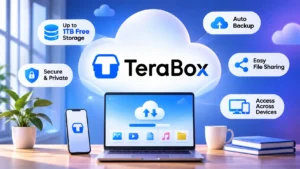
TeraBox offers a free plan alongside paid subscriptions. The available features and subscription prices depend on the selected plan, billing period, region, and purchase platform.
| Plan | Storage | Indicative Pricing |
|---|---|---|
| Free | 1TB (1024GB) | $0 |
| Premium Monthly | 2TB (2048GB) | $3.49/month |
| Premium Yearly | 2TB (2048GB) | $35.99/year |
| Premium Plus Monthly | 5TB | $3.89/month |
| Premium Plus Yearly | 5TB | $39.99/year |
These prices are indicative USD rates and will differ depending on the country, account, promotion, and payment methods used during purchase. Check the actual price on the official website of our service prior to your purchase.
This plan is perfect for those users who need extra space on the Internet but do not want to pay a subscription. The amount of free storage is 1TB; however, some upload limits, playback quality, download, and other characteristics will be restricted.
The Premium plan is for users who often upload large files. It offers 2TB of storage, bigger uploading limits, more functional downloading and better playback quality.
On the other hand, Premium Plus is an option that provides more storage and more AI features. Its storage capacity is stated to be 5TB, which could make it suitable for people with many media files stored on their computers or working with large digital files often.
TeraBox can be beneficial for both students, content producers, professionals and common smartphone owners. Students can save lecture videos and other learning material, while professional photographers or content creators will find cloud storage convenient to work with media files.
Businesses and remote employees can benefit from sharing features of cloud storage. Yet, if organizations deal with sensitive data, they need to consider their requirements and policies first.
There is reason to consider TeraBox if you need a lot of cloud storage without having to buy an expensive subscription. The 1TB free storage can provide you with the means to store all sorts of digital content, and there are additional services available in case you opt for a paid plan.
You need to choose the appropriate subscription based on how often you upload files to your account, the amount of storage you need, and your preference for premium video playing, fast downloading, or AI.
Before deciding on a paid service, evaluate the features available and the cost after regional fees have been taken into account. You may want to start off with the free service first and move up from there.
All in all, TeraBox offers a viable solution for storing, accessing, and sharing digital files.
© 2026. All rights reserved by Saasutility.





No Comments