The 2025 Guide to Using “Descript” for Fast, Smart Content Creation
 Veer
Veer


 Veer
Veer
A friendly, practical guide to Descript, its AI tools, workflow ease, Descript pricing 2025, and how creators can save time using its smart editing features.
If you’ve ever wished video or audio editing felt as simple as editing a document, you’re not alone. That’s exactly where Descript shines. Whether you’re a creator, podcaster, marketer, teacher, or business owner, this tool brings a refreshing shift to how content gets produced. In this guide, let’s break down what makes Descript such a reliable choice in 2025, how Descript AI changes your workflow, and what you can expect from Descript pricing this year.
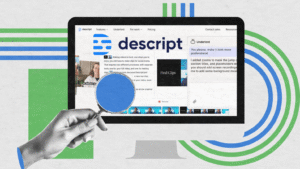
At its core, Descript is a text-based editing platform. You upload your audio or video, it generates a transcript, and you edit by deleting or rewriting text. The platform automatically adjusts the media to match your changes. It feels natural, fast, and incredibly intuitive.
Many creators mention that once they use Descript AI, going back to traditional timeline-only editors feels unnecessarily complicated. AI-powered features like filler-word removal, transcription accuracy, cloning your voice, and cutting repetitive sections make the entire workflow more efficient.
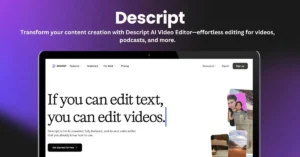
The biggest advancement in the platform is Descript AI. It supports automatic subtitles, scene detection, studio-quality audio enhancement, and Overdub voice cloning. These features help polish content without requiring technical editing knowledge. For professionals managing a high volume of content, this AI layer is easily one of the strongest reasons to consider a switch.
When comparing editing tools, Descript pricing is often the deciding factor. As of Descript pricing 2025, the platform continues offering tiered plans suited for casual creators, teams, or growing brands. While the exact pricing may shift annually, you can typically expect a free plan with limited transcription time, a creator plan, and advanced team plans with additional AI features.
Most users find the value solid when you factor in transcription quality, editing speed, and how much manual work the tool eliminates.
| Plan Name | Ideal For | Key Inclusions | Approx. Yearly Pricing (2025) | Approx. Monthly Pricing (2025) |
|---|---|---|---|---|
| Free Plan | Beginners and casual users | Limited transcription, basic editing tools, watermark exports | Not applicable | Free |
| Creator Plan | Solo creators and freelancers | Higher transcription hours, AI editing tools, audio cleanup, basic overdub | Moderate annual cost | Moderate monthly cost |
| Pro Plan | Podcasters, YouTubers, marketers | Advanced AI features, overdub pro, unlimited watermark-free exports, team collaboration tools | Higher annual cost | Higher monthly cost |
| Team Plan | Agencies and content teams | Multi-seat access, workflow collaboration, brand templates, premium AI features | Premium annual cost | Premium monthly cost |
If you’re trying it for the first time, the setup is simple. Head to the Descript login page, create your account, and you can start importing files immediately. The onboarding process walks you through basic editing steps, so you don’t feel overwhelmed. Within minutes, you’re ready to edit your first project using Descript AI tools.
If your goal is to cut editing time, improve workflow, or rely on AI to assist with repetitive tasks, then Descript is absolutely worth exploring. It merges simplicity with powerful automation. For content creators, it’s not just another editing app; it’s becoming a core productivity tool.

© 2026. All rights reserved by Saasutility.




No Comments